
Everyday tools, on your device
24 browser PDF tools
- Organize, edit, annotate and sign PDFs
- Interactive forms, local OCR and reusable workflows
- Free browser tools in the preview; paid checkout coming soon
Paperplane PDF Tools · Private preview
A little less paperwork.
Organize, edit and sign PDFs, build forms, make scans searchable and save repeatable workflows. Paperplane brings 24 browser tools together in a private preview.
Invitation-only engineering preview · Desktop and mobile browsers · Public launch pending
Everyday tools, on your device
24 browser PDF tools
See the app
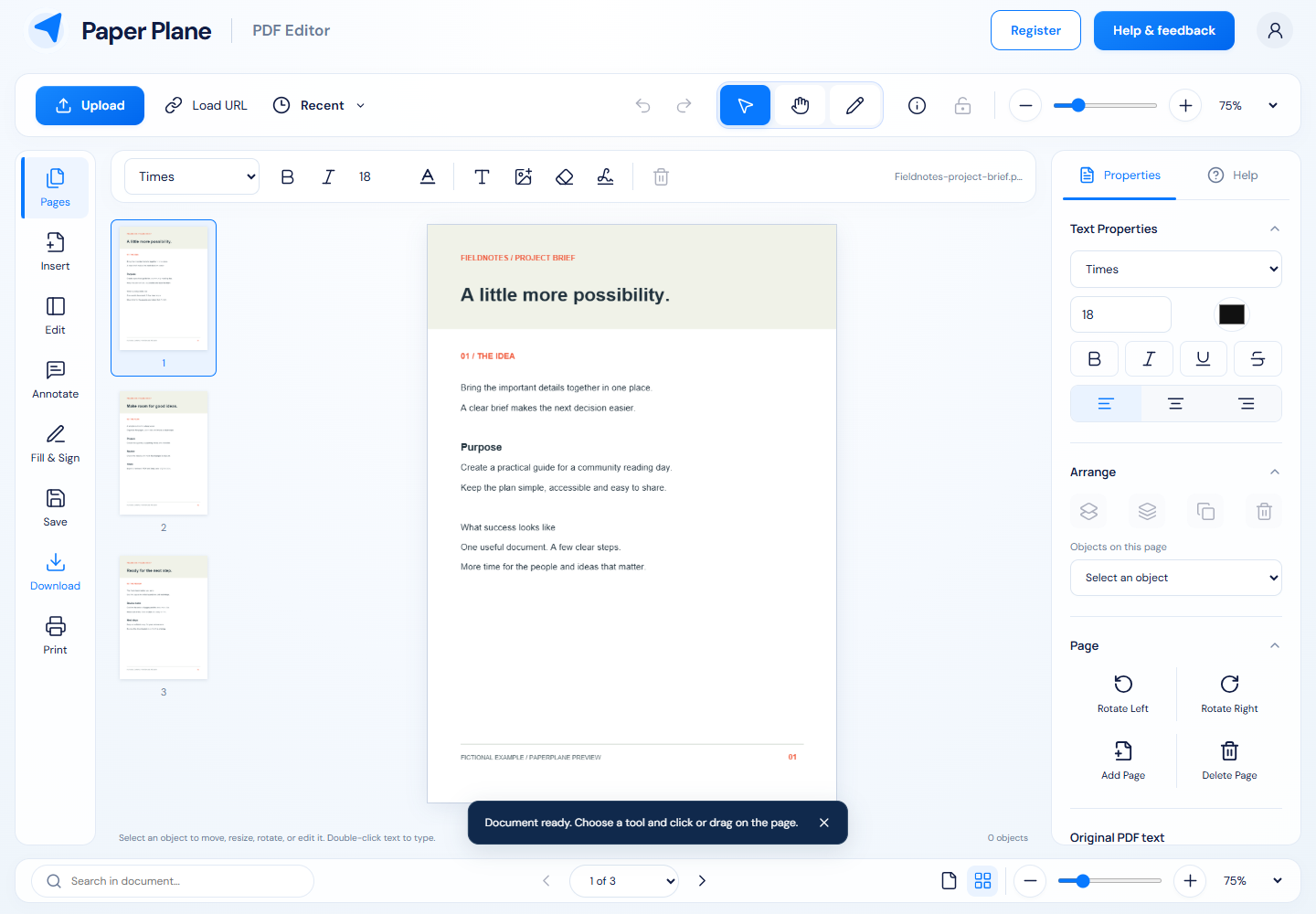
Original screenshots captured from the private preview on 22 October 2026. Example documents and names are fictional.
Your everyday PDF workspace
Paperplane brings everyday PDF tasks into one workspace: page organization, editing and annotations, electronic signatures, interactive forms, local OCR and reusable workflows. Browser tools process files on your device. Additional conversions and document operations use a separate processing service when available. The app is currently an invitation-only engineering preview, with public launch and paid checkout still pending.
01
Merge PDFs, split or extract pages, and reorder, rotate, duplicate, crop or remove pages. Work with page previews and download a separate result while keeping your original files.
02
Place text, images, highlights, shapes and freehand notes. Edit supported existing text, adjust objects and save an editable project. Add a drawn, typed or uploaded electronic signature.
03
Design text, checkbox, dropdown, radio and date fields. Fill existing fields, adjust their properties, move or resize them, or flatten a completed copy for sharing.
04
Run OCR on up to 20 pages in your browser, or turn document photos into a searchable PDF. English, Afrikaans, French and Portuguese are supported. Review recognized text before relying on it.
05
Turn images into PDFs, export pages as JPG or PNG, and extract text, Markdown or simple HTML. Compare page text, inspect basic PDF structure and remove standard document metadata. Office conversions use the processing service when available.
06
Chain compression, rotation, watermarks, page numbers and metadata cleanup into a local workflow. Save a preset in this browser and run it across your selected PDFs. Find everyday tools with search and favorites.
Pricing and access
Browser tools cost R0 within the private preview. Pro and Business prices below are drafts for additional account capacity. Paid checkout is disabled; these passes are not on sale.
| Plan | ZAR / 30 days | ZAR / 365 days | USD / 30 days | USD / 365 days |
|---|---|---|---|---|
| Free | R0 | R0 | $0 | $0 |
| Pro | R99 | R990 | $9 | $90 |
| Business | R249 | R2,490 | $24 | $240 |
One-time 30- or 365-day passes are planned, with no automatic renewal. The app previews 12 currencies; ZAR and USD prices are set independently. Every plan is for one person, including Business.
| Plan | Server jobs / rolling 24 hours | Saved server workflows | API keys |
|---|---|---|---|
| Free | 100 | 10 | 5 |
| Pro | 500 | 50 | 10 |
| Business | 2,000 | 200 | 20 |
The same browser tools are included in every plan. Hosted jobs have the same limits across plans: up to 10 files and 8 MB combined per job. Local workflow presets run on your device; cloud scheduling and cross-device sync are not enabled.
Ask about Paperplane accessPaperplane is currently an invitation-only engineering preview. Request early access through DoCHEng support. Screenshots show the current working preview; a public workspace launch and paid checkout are still pending.
Tools marked “On your device” process files in your browser, including local OCR and workflows. Tools that use the processing service upload the files you choose. Download results and keep your originals; hosted job outputs are temporary and normally expire after one hour.
The draft Pro and Business plans increase server-job, saved server-workflow and API-key capacity. All plans include the same browser tools. Each is for one individual account; Business has no shared team seats. Paid checkout is disabled and no paid plan is on sale yet.
The planned paid options are one-time passes for 30 or 365 days, with no automatic renewal. The preview has 12 currency choices with separately set regional prices, rather than live currency conversion. Final prices must be confirmed when checkout opens.
Review your downloaded document. Existing-text editing depends on the PDF’s fonts and structure; scans need OCR first. OCR can make mistakes, Office conversions may change layouts, and structural compression may not shrink an already optimized file. Electronic signatures are not certificate-based digital signatures. Whiteout covers an area visually; permanent redaction requires the processing-service redaction tool. Metadata cleanup alone does not remove hidden content.
Yours stays yours
Look for “On your device” on browser tools. Additional tools that upload files to the processing service are shown separately in the app. Keep your originals, save editable projects where supported and review each result before sharing.
Get help with Paperplane →